What Are Copilot APIs And Why Should You Care?
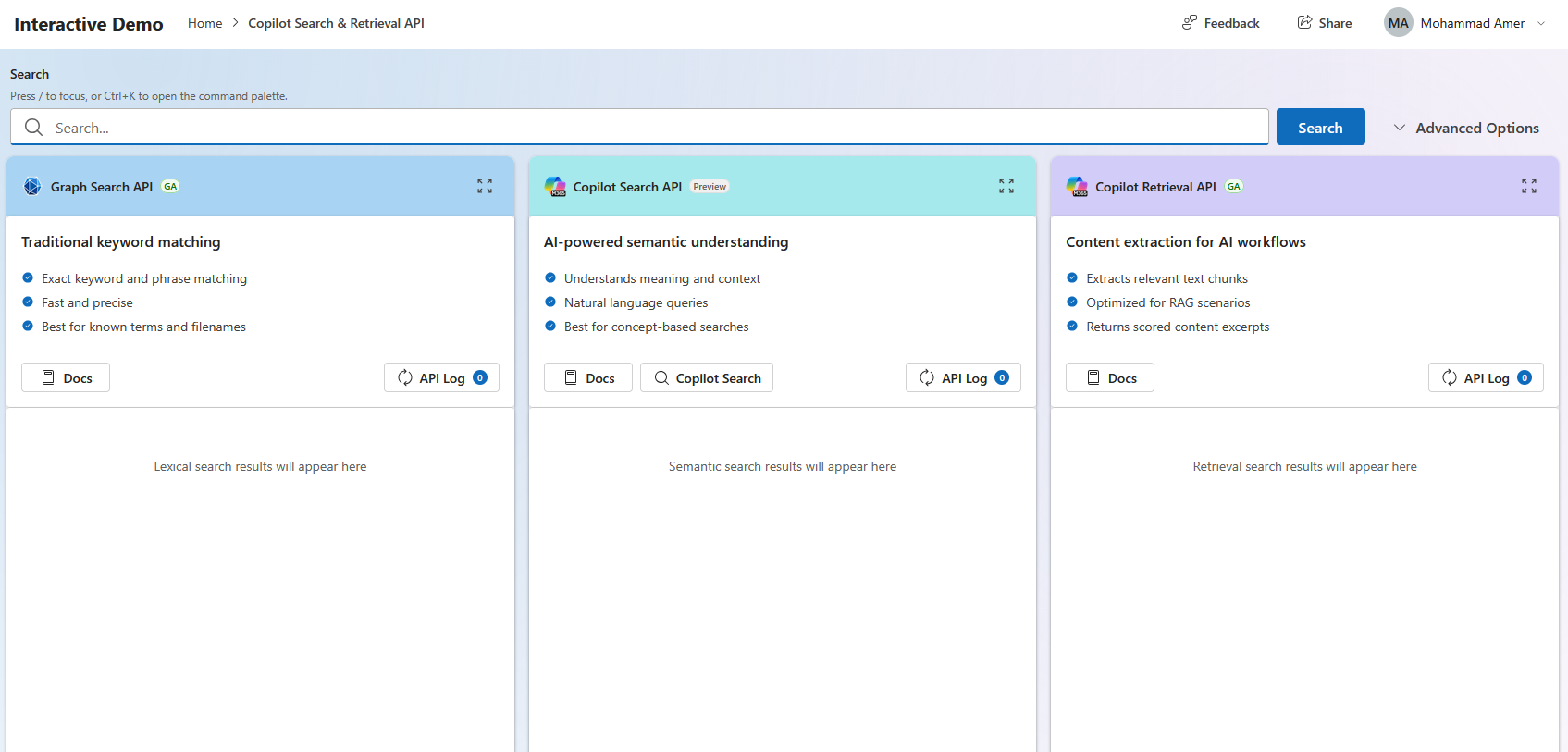
Copilot APIs give your app AI reasoning. They allow your custom applications or agents to ask questions, search intelligently, and extract summaries using the same brain that powers Microsoft 365 Copilot.
- Decoding Microsoft Copilot APIs
- 1. What Are Copilot APIs And Why Should You Care?
- The Big Magic: “In-Place” Security
- 2. The Core Prerequisites
- 3. The 6 Copilot APIs with Code & Graph Explorer Patterns
- 1. Retrieval API — Grounding Your AI with Enterprise Knowledge 🔍
- 2. Search API — Natural Language Document Discovery 🔎
- 3. Meeting Insights API — Turning Meetings into Action 📋
- 4. Change Notifications API — Real-Time Compliance Monitoring 🔔
- 5. Chat API — Copilot Conversations in Your Apps 💬
- 6. Usage Reports API — Tracking Copilot Adoption 📊
- Wrapping Up
Decoding Microsoft Copilot APIs
If you are a junior developer stepping into the world of enterprise AI, you’ve probably heard people talk about Retrieval-Augmented Generation (RAG), connecting AI models to company data, and building custom agents. Sounds complicated, right?
Enter Microsoft Copilot APIs.
Instead of building a complex AI infrastructure from scratch, paying a fortune for data storage and indexing pipelines, and trying to secure it all yourself, Microsoft gives you production-ready APIs that sit right on top of Microsoft 365 (SharePoint, OneDrive, Teams, etc.).
Let’s break down what these APIs are, why they matter, and walk through all six core APIs with both TypeScript SDK code and raw Graph Explorer HTTP patterns.
1. What Are Copilot APIs And Why Should You Care?
Think of regular Microsoft Graph APIs as tools that let your app do CRUD operations (Create, Read, Update, Delete files, users, and messages).
Copilot APIs, on the other hand, give your app AI reasoning. They allow your custom applications or agents to ask questions, search intelligently, and extract summaries using the same brain that powers Microsoft 365 Copilot.
The Big Magic: “In-Place” Security
When you use these APIs, your company’s sensitive data doesn’t move. It stays in SharePoint or OneDrive. Every single API call automatically respects existing permissions, sensitivity labels, and compliance rules. If a user isn’t allowed to see a document, the API won’t let the AI see it either.
2. The Core Prerequisites
Before writing code or testing in Graph Explorer, your environment needs two main things:
- Microsoft 365 Copilot License for the users.
- An M365 E3 or E5 Subscription (the baseline for M365 data).
Now, let’s explore the 6 Core Copilot APIs available under the Microsoft Graph namespace (graph.microsoft.com/beta/copilot).
3. The 6 Copilot APIs with Code & Graph Explorer Patterns
1. Retrieval API — Grounding Your AI with Enterprise Knowledge 🔍
- What it does: Performs semantic search across SharePoint, OneDrive, and external connectors to feed exact context into your AI models (RAG).
- When to use it: When you are building a custom chatbot that needs to answer questions using internal company handbooks or policies.
🌐 Graph Explorer HTTP Request
POST https://graph.microsoft.com/beta/copilot/retrieval
Content-Type: application/json

{
  "dataSource": "SharePoint",
  "queryString": "What is our latest product roadmap?",
  "maximumNumberOfResults": 10
}
💻 TypeScript SDK Pattern
import { Client } from "@microsoft/microsoft-graph-client";

async function getGroundingData(graphClient: Client) {
  const requestBody = {
    dataSource: "SharePoint",
    queryString: "What is our latest product roadmap?",
    maximumNumberOfResults: 10
  };

  const result = await graphClient
    .api("/copilot/retrieval")
    .version("beta")
    .post(requestBody);

  return result;
}
2. Search API — Natural Language Document Discovery 🔎
- What it does: Performs hybrid search (semantic + lexical) across OneDrive content using natural language.
- When to use it: When users don’t remember a file name, but want to type something like “Q4 financial budgets” and find the right document instantly.
🌐 Graph Explorer HTTP Request
POST https://graph.microsoft.com/beta/copilot/search
Content-Type: application/json

{
  "query": "Q4 financial projections",
  "pageSize": 20
}
💻 TypeScript SDK Pattern
import { Client } from "@microsoft/microsoft-graph-client";

async function searchDocuments(graphClient: Client, queryText: string) {
  const requestBody = {
    query: queryText,
    pageSize: 20
  };

  const result = await graphClient
    .api("/copilot/search")
    .version("beta")
    .post(requestBody);

  return result;
}
3. Meeting Insights API — Turning Meetings into Action 📋
- What it does: Automatically extracts AI-generated notes, action items, and discussion topics from recorded Microsoft Teams meetings.
- When to use it: When you want to automatically sync action items from a client call into tools like Jira, Azure DevOps, or Salesforce.
🌐 Graph Explorer HTTP Request
GET https://graph.microsoft.com/v1.0/copilot/users/me/onlineMeetings/{meeting-id}/aiInsights
💻 TypeScript SDK Pattern
import { Client } from "@microsoft/microsoft-graph-client";

async function fetchMeetingActionItems(graphClient: Client, meetingId: string) {
  const response = await graphClient
    .api(`/copilot/users/me/onlineMeetings/${meetingId}/aiInsights`)
    .version("v1.0")
    .get();

  response.value[0]?.actionItems?.forEach((item: any) => {
    console.log(`Task: ${item.text} (Assigned to: ${item.ownerDisplayName})`);
  });
}
4. Change Notifications API — Real-Time Compliance Monitoring 🔔
- What it does: Sets up webhooks to notify your application in real-time when users interact with Copilot or when new AI insights are generated.
- When to use it: For enterprise auditing, security monitoring, and catching anomalies or compliance issues instantly.
🌐 Graph Explorer HTTP Request
POST https://graph.microsoft.com/v1.0/subscriptions
Content-Type: application/json

{
  "changeType": "created",
  "notificationUrl": "https://your-app.com/api/webhooks/copilot",
  "resource": "/copilot/aiInsights/chatEvents",
  "expirationDateTime": "2026-12-31T23:59:59Z"
}
💻 TypeScript SDK Pattern
import { Client } from "@microsoft/microsoft-graph-client";

async function createCopilotWebhookSubscription(graphClient: Client) {
  const subscription = {
    changeType: "created",
    notificationUrl: "https://your-app.com/api/webhooks/copilot",
    resource: "/copilot/aiInsights/chatEvents",
    expirationDateTime: "2026-12-31T23:59:59Z"
  };

  const response = await graphClient
    .api("/subscriptions")
    .post(subscription);

  return response;
}
5. Chat API — Copilot Conversations in Your Apps 💬
- What it does: Embeds standard conversational Microsoft 365 Copilot experiences directly inside your own custom web or mobile applications.
- When to use it: When you want to give your users a native Copilot chat window inside an internal portal without forcing them to switch to Teams or Office apps.
🌐 Graph Explorer HTTP Request
POST https://graph.microsoft.com/beta/copilot/chat
Content-Type: application/json

{
  "prompt": "Summarize the latest HR policy updates regarding remote work."
}
💻 TypeScript SDK Pattern
import { Client } from "@microsoft/microsoft-graph-client";

async function sendCopilotPrompt(graphClient: Client, userPrompt: string) {
  const chatPayload = {
    prompt: userPrompt
  };

  const response = await graphClient
    .api("/copilot/chat")
    .version("beta")
    .post(chatPayload);

  console.log("Copilot Response:", response.text);
  return response;
}
6. Usage Reports API — Tracking Copilot Adoption 📊
- What it does: Queries user counts, engagement, and adoption data for Microsoft 365 Copilot across your tenant.
- When to use it: When managers or IT administrators want to see dashboard metrics on how frequently teams are utilizing Copilot tools.
🌐 Graph Explorer HTTP Request
GET https://graph.microsoft.com/v1.0/reports/getCopilotUserActivityCounts(period='D7')
💻 TypeScript SDK Pattern
import { Client } from "@microsoft/microsoft-graph-client";

async function getCopilotAdoptionReport(graphClient: Client) {
  const report = await graphClient
    .api("/reports/getCopilotUserActivityCounts(period='D7')")
    .version("v1.0")
    .get();

  console.log("Adoption activity report fetched successfully.");
  return report;
}
Wrapping Up
Whether you prefer testing payloads directly in Graph Explorer or integrating them using the TypeScript SDK, Microsoft Copilot APIs make it straightforward to add enterprise AI capabilities directly into your custom software stack.
Try it before you code
- Graph Explorer for requests against your own tenant
- Copilot APIs Interactive Demo for live requests and responses